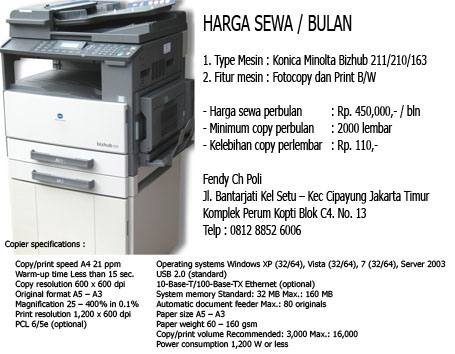
Harga Sewa Fotocopy Murah

Harga Sewa Fotocopy Murah
Promo Sewa Fotocopy
Showing posts with label CANON imageCLASS. Show all posts

Cara pakai Scanner Canon IR 3245

By photocopy canon | At Sunday, September 15, 2019 | Label : , , , | 0 Comments

Scanning with the Canon iR 3245 Copier

Cara pakai scan fotocopy ir3245

Follow these quick instructions and you can have any image or document scanned and in your email inbox in no time.

Above is the operation panel of the printer/copier in the Teachers’ Room.  The left hand side is a Touch Screen and the right hand side is a more traditional Control Panel.  There are many options with this printer.  These instructions will assist with scanning.

Step 1:


Cara scan pakai canon ir3235
On the Touch Screen, press the third tab from the left, “Send”.

Step 2:

Cara scan pakai canon ir3230
Next, press “Address Book” to send to self or someone in house.  Make another choice from the available options as needed.

Step 3:

Cara scan pakai canon ir3225
Choose the desired name by pressing on the box next to the name (1) – make sure a green check shows.  Then press “OK” (2).

Step 4:

Cara pakai scanner canon ir3245
After confirming that you have chosen the correct destination for your scanned document or image, compress “Start” on the Control Panel.

Step 5:

Cara pakai scan fotocopy ir3245
As noted by the instructions (1), you can change your original and press Start again, or you can simply press “Done” (2).

Canon image CLASS MF4450 murah

By photocopy canon | At Sunday, October 07, 2012 | Label : , , | 0 Comments

Fitur CANON imageCLASS MF4450 24 CPM

Harga Fotocopy CANON imageCLASS MF4450

  • Copy dan Print B/W sampai dengan 24 ppm
  • Quick First Print Pertama hanya memerlukan waktu cetak 6 detik
  • Menggunakan mode hemat energi atau energy saving sekitar 3W
  • Sudah termasuk Mode Cetak canggih seperti Booklet, Watermark, Toner Saver, Poster dan Page Komposer
  • Color scanning resolution hingga 9600 dpi (interpolated)
  • Super G3 fax 33,6 Kbps
  • 5-line LCD untuk navigasi yang mudah (User-friendly)
  • Kaset front-loading kertas 250-lembar ditambah satu tray multifungsi
  • Cost Eficient supplies dengan sistem Cartridge tunggal
  • Generasi Hijau Canon
  • Energy Star yang berkualitas

Specifications imageCLASS MF4450

 Harga printers_multifunction_imageCLASS MF4450

Printer CANON imageCLASS MF4450
Metode Printing Monochrome Laser
Kecepatan Print (up to) Hitam:Up to 24 ppm (letter)
Resolusi Print (Up to) Hitam:Up to 600 x 600 dpi
1200 x 600 dpi quality
Toner Compatibility (for Laser MFP) Canon Cartridge 128
CRG Yield* 2,100
Ukuran Kertas Letter, Legal, A4, A5, B5, Statement, Executive
Automatic Sheet Feeder 35-sheet Simplex3
Paper Weights 16 to 43 lb. bond (cassette),
16 to 43 lb. bond (multipurpose tray)
Output Tray Capacity Approx. 100 sheets (facedown) 2
Copier imageCLASS MF4450/MF4570
Resolusi Copy (up to) Up to 600 x 600 dpi
Kecepatan Copy (up to) Up to 24 cpm (letter)
Zoom 25-400% in 1% increments
Halftones 256 levels
First Copy Time Approximately 9 seconds
Reduction / Enlargement 25%, 50%, 64%, 78%/ 129%, 200%, 400%
Scanner CANON MF4450, MF4570
Type Scanner Color Contact Image Sensor (CIS)
Resolusi Max. Optical:Up to 600 x 600 dpi
Interpolated:9600 x 9600
Fitur Scanner Rotate, Push Scan (Scan to PC), Pull Scan
Color Depth 24-bit
Format File Hi-Compression PDF, Searchable PDF, PDF, JPEG, TIFF, BMP2
Fax image CLASS MF 4450
Modem Speed Up to 33.6 Kbps (Super G3)
Fax Resolution Up to 203 x 391 dpi (super fine)
Memory Capacity Up to 256 sheets1
Speed Dialing 4 one-touch speed dials;
100 coded dials
Fax Features Distinctive Ring Pattern Detection, Remote RX, Dual Access Fax, Auto Redial, Auto Fax Reduction, Fax Activity Reports, Manual Fax Forwarding
General  
Other Features Compatibility TWAIN, WIA
OS Compatibility Windows® 7, Windows Vista®, Windows XP/2000, Mac® OS X 10.4.9 & up, Linux (print only)
Standard Interface USB Device 2.0 Hi-Speed
Software Included Canon Drivers, Document Management & OCR Software
Power Consumption (approx.) 1090W (Max)
10W (Standby)
3W (Energy Saver)
Dimension (W x D x H) 15.4" (W) x 16.6" (D) x 14.6" (H)
Weight 24.5 lbs. (w/o cartridge)
25.8 lbs. (w/cartridge)
Warranty 1 year limited carry-in/exchange warranty
(Extended warranty available)

Harga CANON MF4450 Baru

(Copier+Printer +Scanner+Fax)

Rp. 4.000.000,-NEW

Posting Lama ►

Ingin dapat tips-tips terbaru "Photocopy Canon" seperti cara-cara mengatasi Mesin Fotocopy error, servis manual, download driver dll secara gratis! silahkan masukkan Email anda pada kolom di bawah ini. Setiap artikel yang kami publikasikan, akan langsung kami kirim ke Email anda:

Delivered by FeedBurner


CARA PESAN:

PEMESANAN:
Silahkan anda menghubungi nomor-nomor dibawah ini untuk pemesanan mesin fotocopy maupun untuk bertanya seputar mesin fotocopy yang ingin anda beli dan juga untuk konfirmasi pembayaran.

CARA PEMBAYARAN:
Setelah informasi detail barang dan kesepakatan harga sudah ada persetujuan, silahkan melakukan pembayaran melalaui no rekening kami.

CARA PENGIRIMAN:
Apabila semua proses pembayaran dan konfirmasi sudah selesai dan sesuai, maka barang pesanan anda akan segera kami proses dan dikirim berdasarkan alamat pengiriman yang anda berikan kepada kami yang telah disepakati bersama.

PERSYARATAN:
Untuk pengiriman dalam area Jakarta atau radius 50km dari tempat kami tidak dikenakan ongkos kirim, sedangkan untuk luar kota dan luar pulau akan dikenakan ongkos kirim dan di tambah biaya packing sesuai dengan harga dari jasa

HUB Kami:

Jl. Raya Pagelarang

Komp KOPTI Blok C4 No. 13

Kel. Setu - Kec. Cipayung

Jakarta Timur 13880


Phone 021 9895 7421
Fax 021 8497 0328
Mobile 0812 8852 6006
Email 1
fendypoli@gmail.com
Email 2
fendypoli@yahoo.com

TRANSFER BANK


Copyright © 2012. MESIN FOTOCOPY CANON IR - All Rights Reserved